This guide is for reference only and assumes that you are a California CSR with a valid license in good standing.
Step 1: Prepare Required Documents
Prepare one of the following documents, signed, to email to the department clerk on the morning of the hearing:
Stipulation and Order to Use Certified Shorthand Reporter (LASC CIV 236 Rev. 06/23)
Order Appointing Court-Approved Reporter as Official Reporter Pro Tempore (LASC CIV 237 Rev. 04/25)
Email the signed document to the clerk of the department
· Stanley Mosk: smcdept##@lacourt.org
· Spring Street: sscdept##@lacourt.org
· Alhambra: alhdept##@lacourt.org
· Santa Monica: samdept##@lacourt.org
Step 2: Access LACourtConnect
Go to lacourt.ca.gov
Click on Remote Hearings
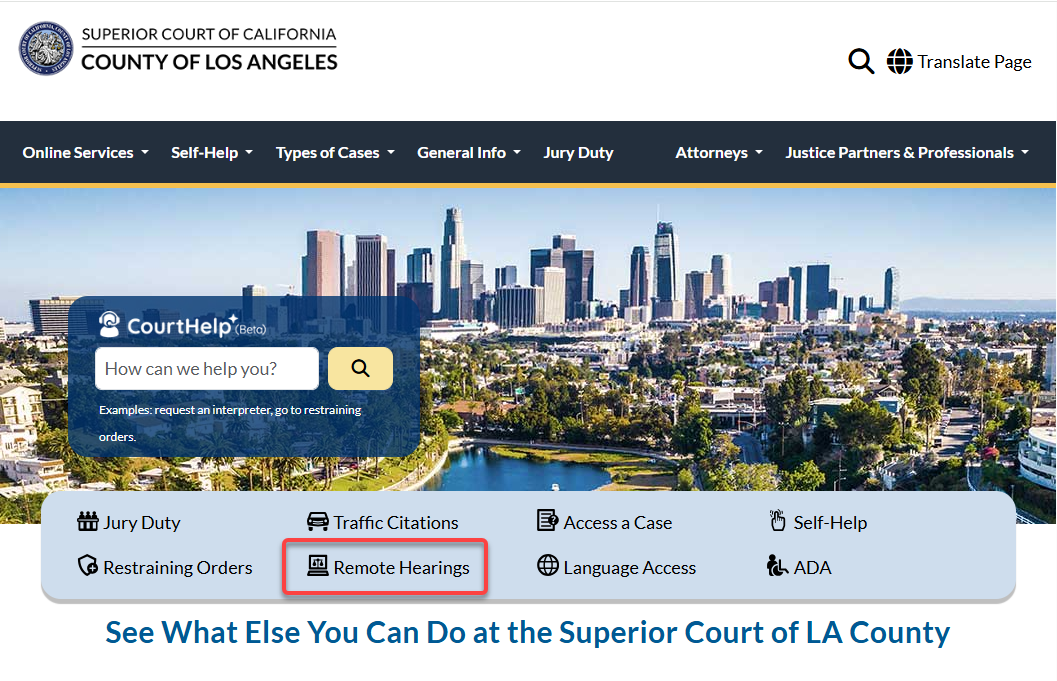
(www.lacourt.org)
Click on All Other Case Types
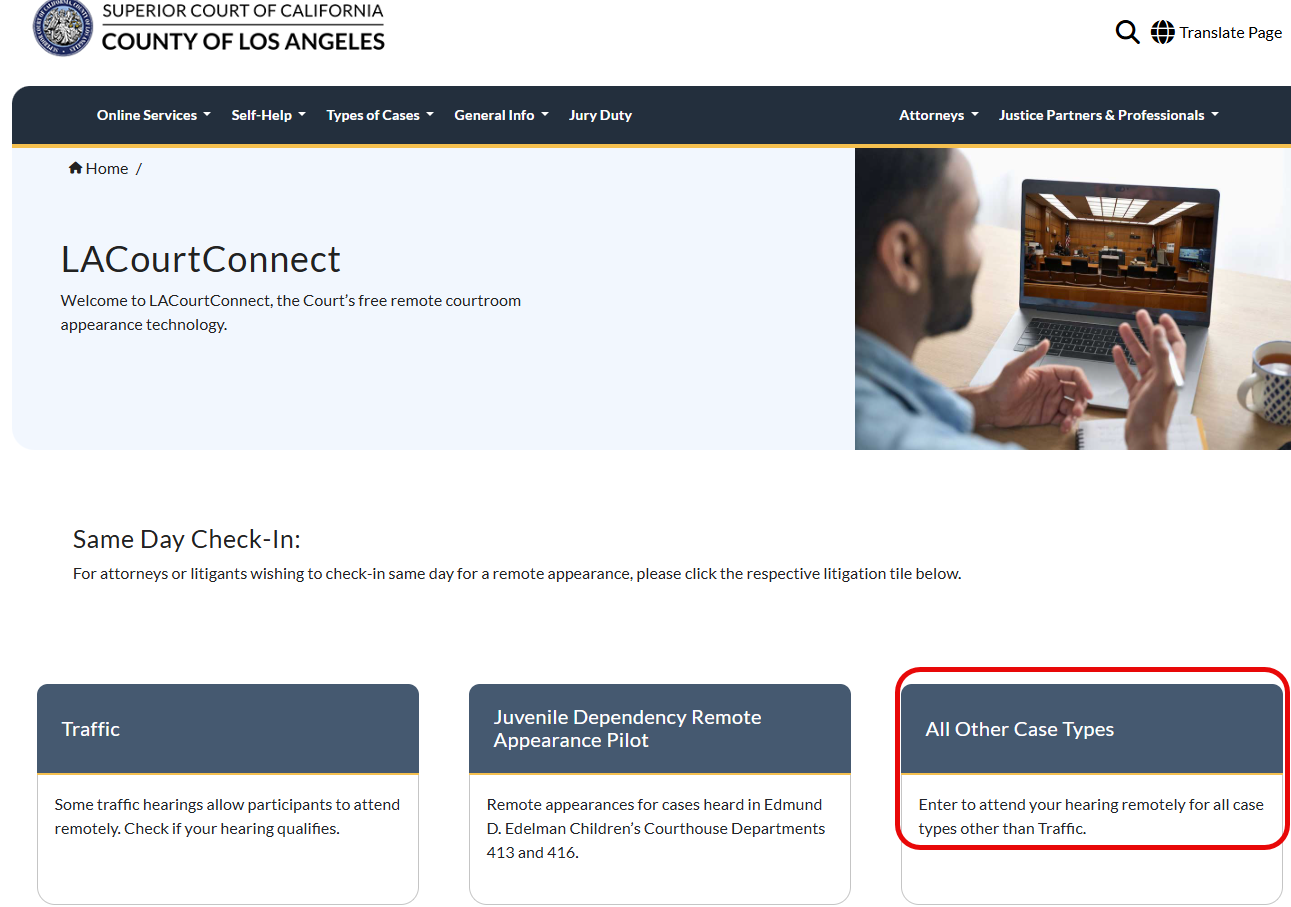
(LACourtConnect Homepage, lacc.lacourt.org) You could come straight here and bypass lacourt.org homepage.
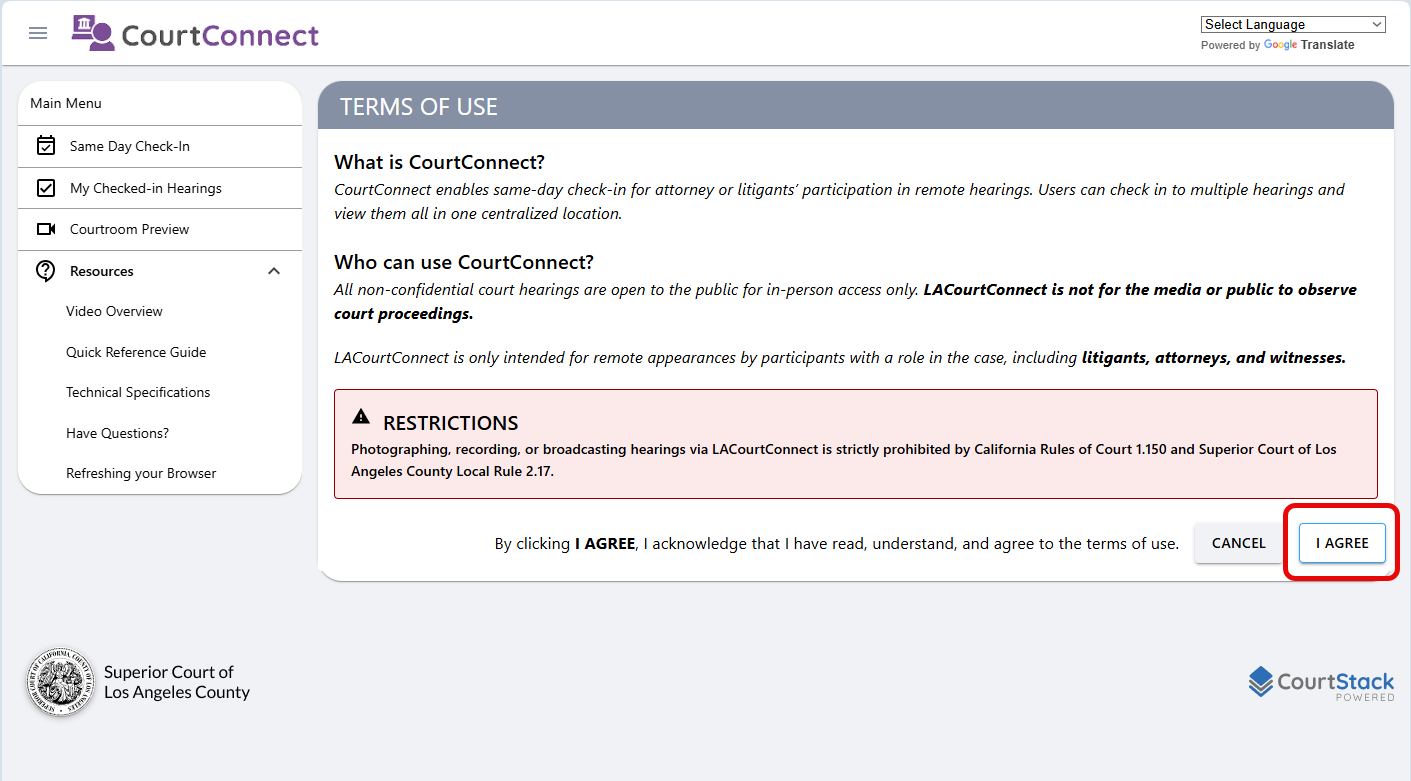
You will be taken to the LACourtConnect Same Day Check-In page. Agree to the restrictions.
Enter the case number and click on “Search.”
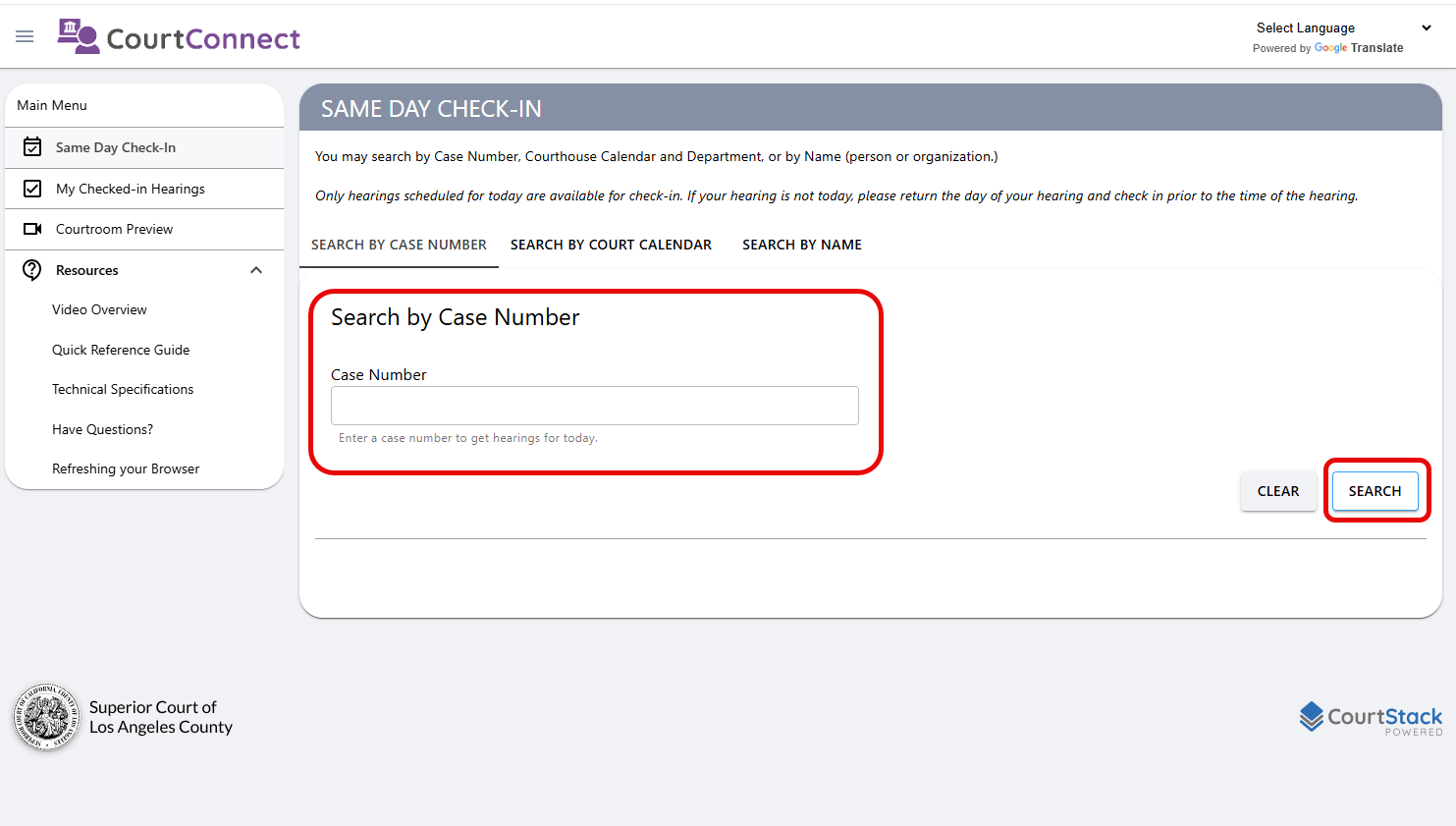
Welcome to LACourtConnect Same Day Check-in
The system will display hearing(s) scheduled for the same day. Click on “Select” on one of the options presented.
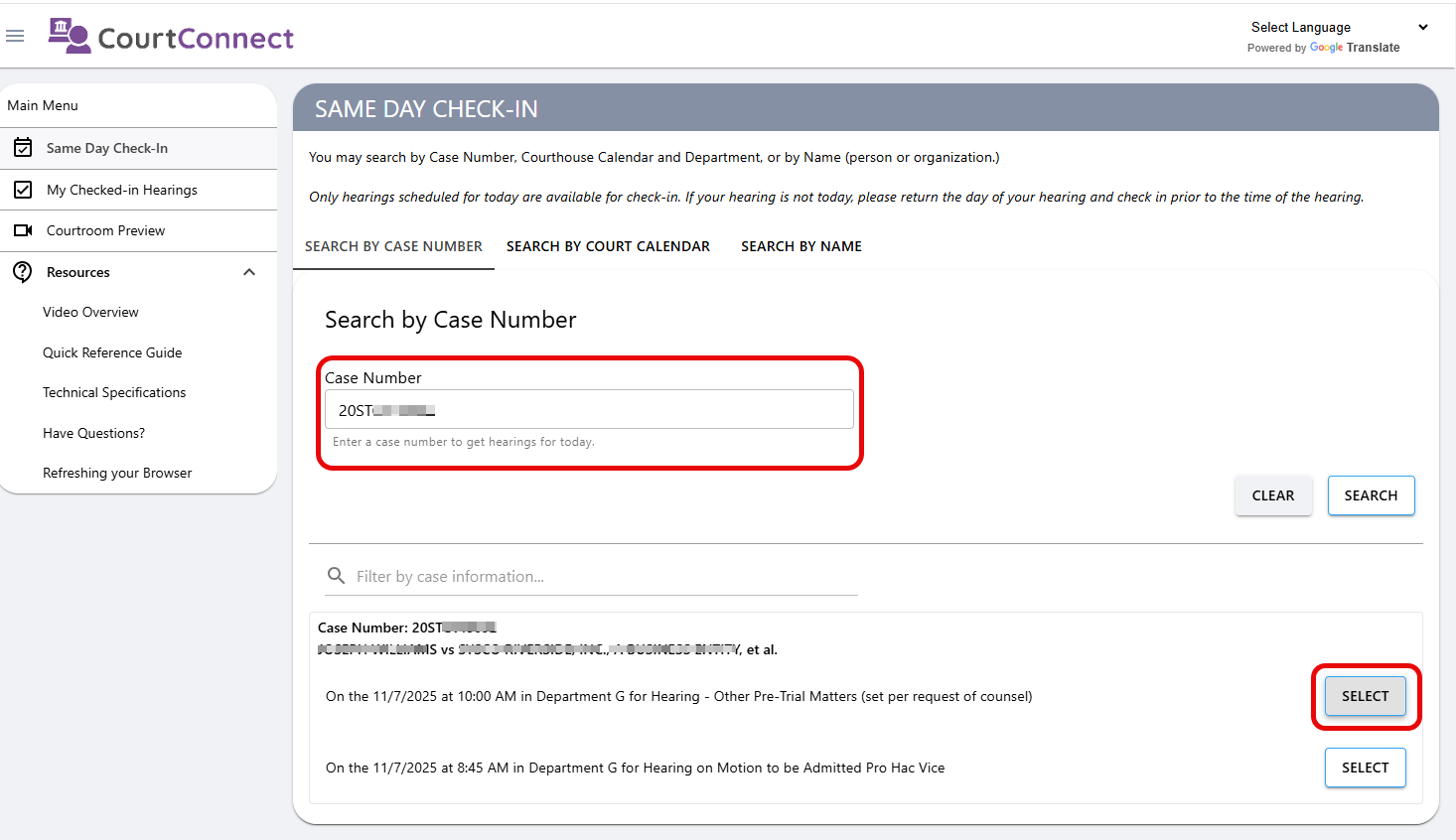
Type in the case number and then click “Search,” then click on “Select.”
If multiple hearings are scheduled at the same time, a dialog box will appear
And you are then able to check in for all hearings at once
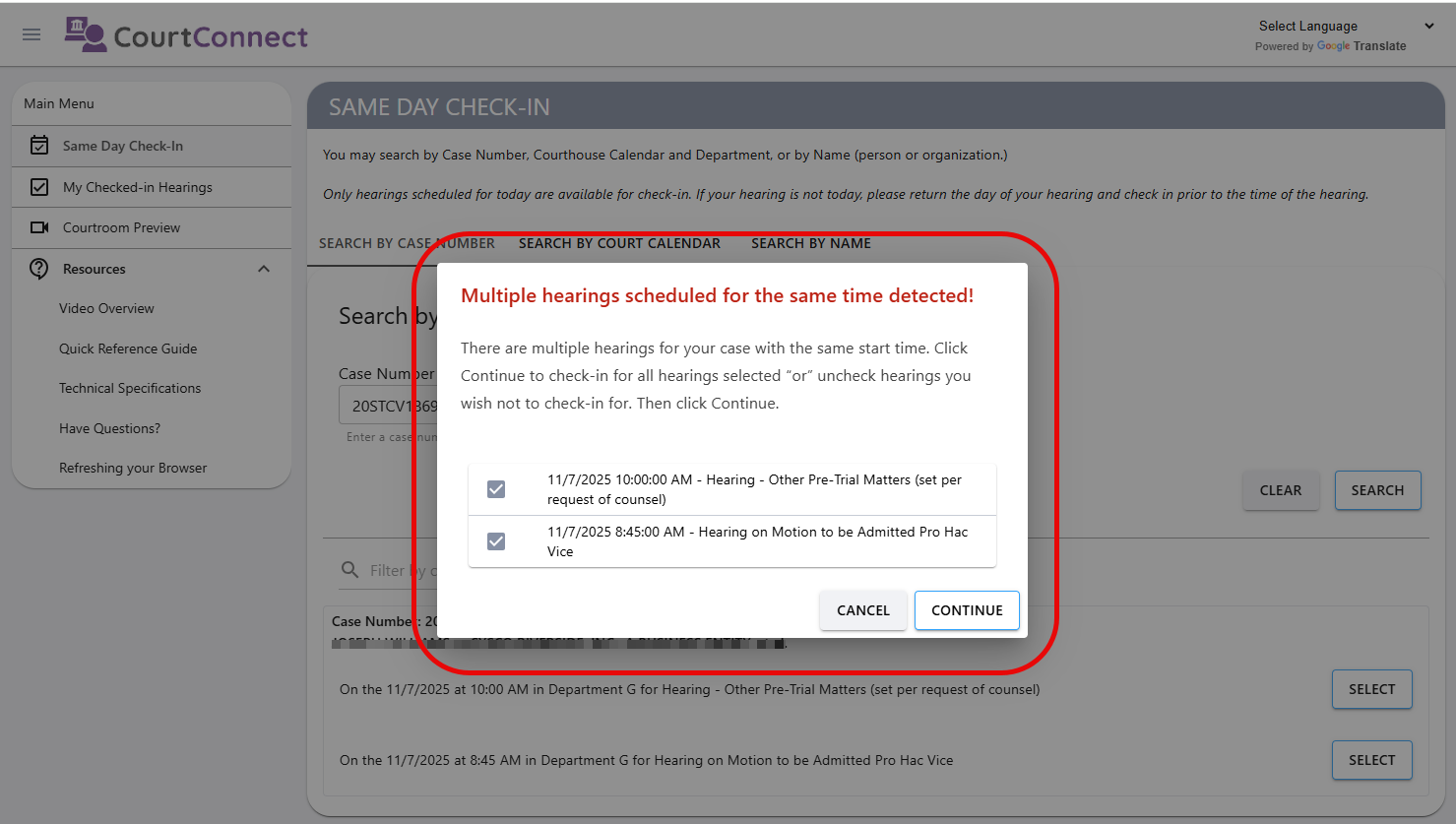
If there are multiple hearings scheduled for the same time, you will be prompted to check in for all hearings scheduled.
Provide your e-mail address.
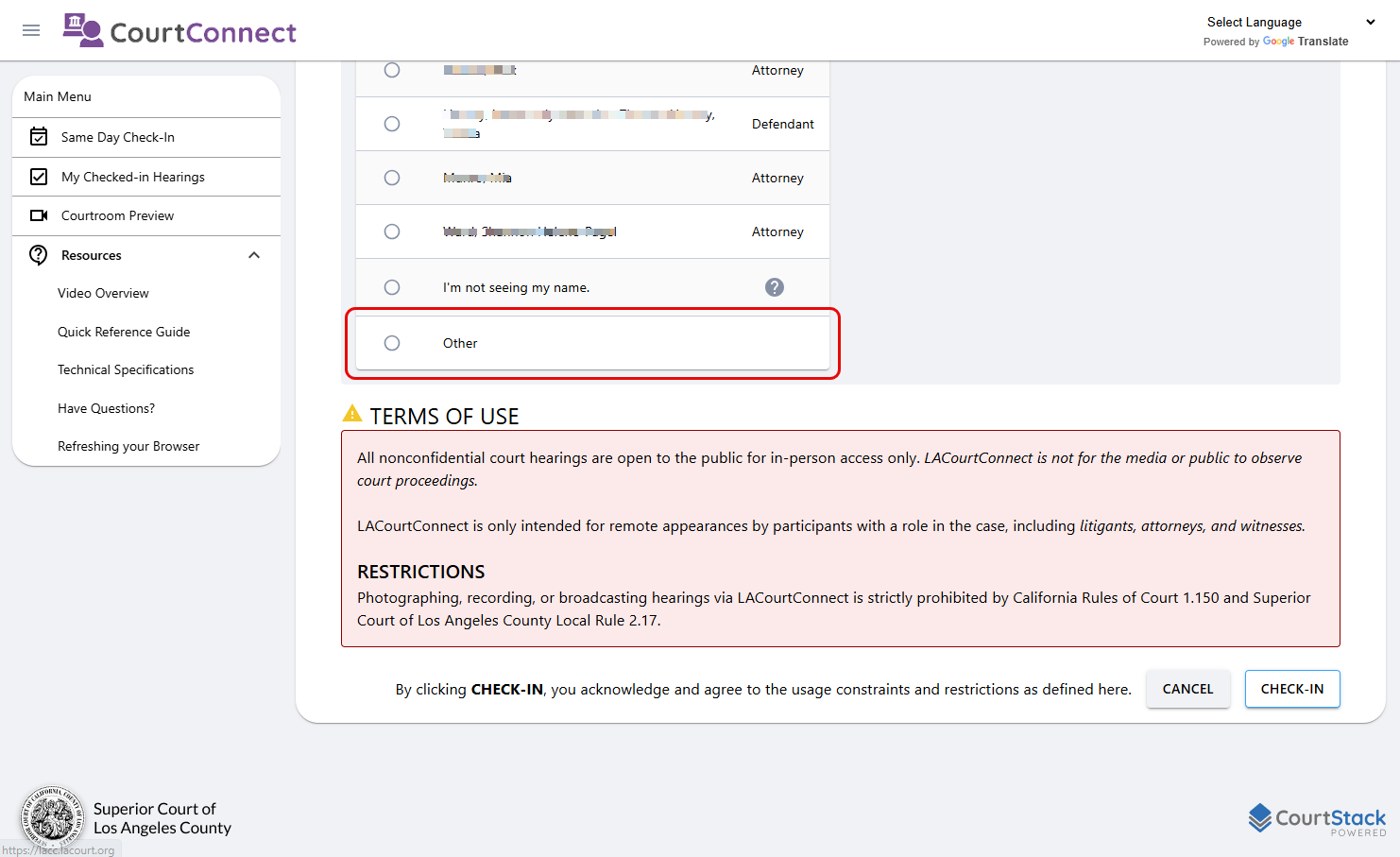
Scroll down to where it says “Select your name” and select “Other.”
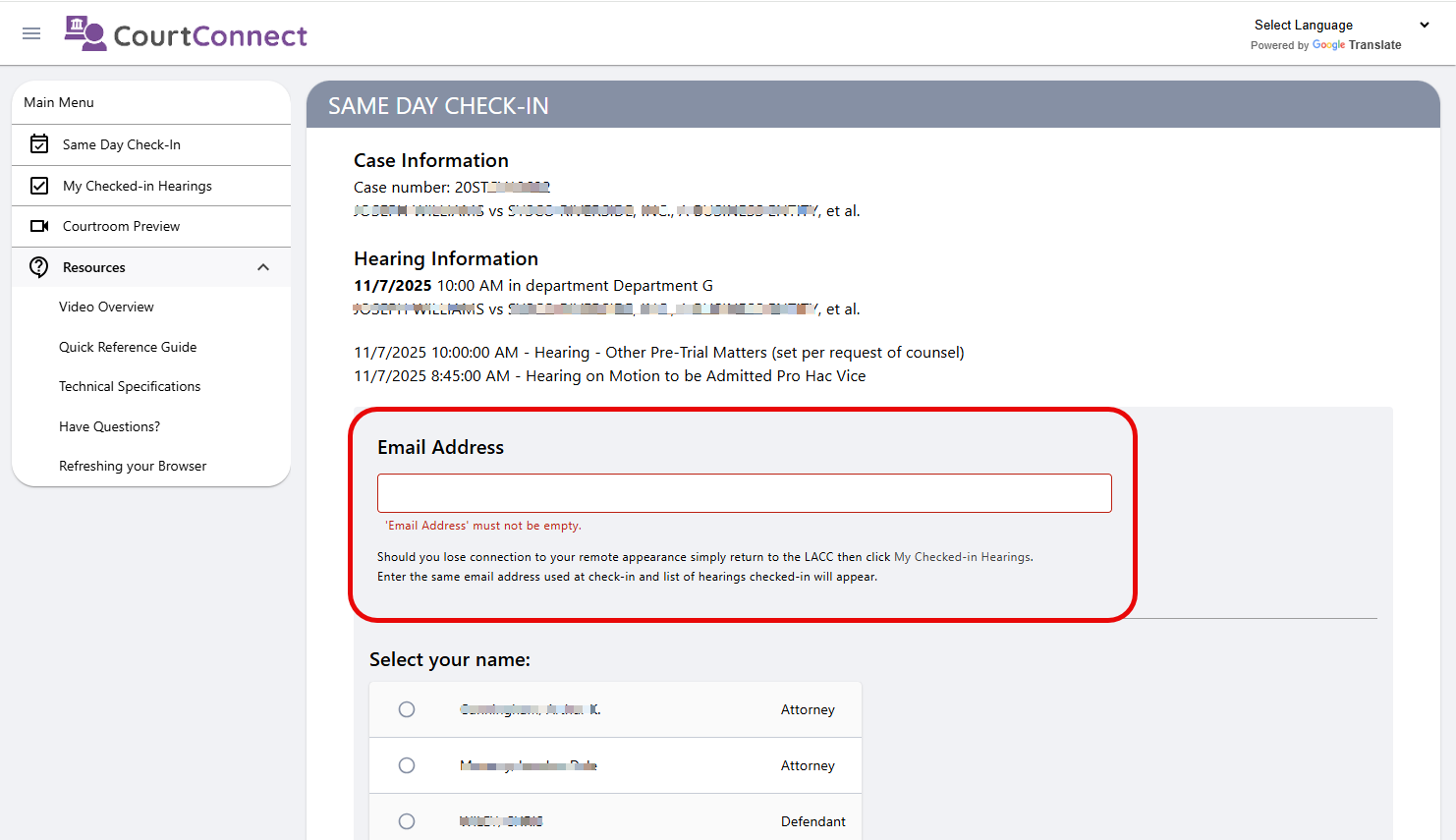
Provide your e-mail address as part of the Remote Appearance Check-in.
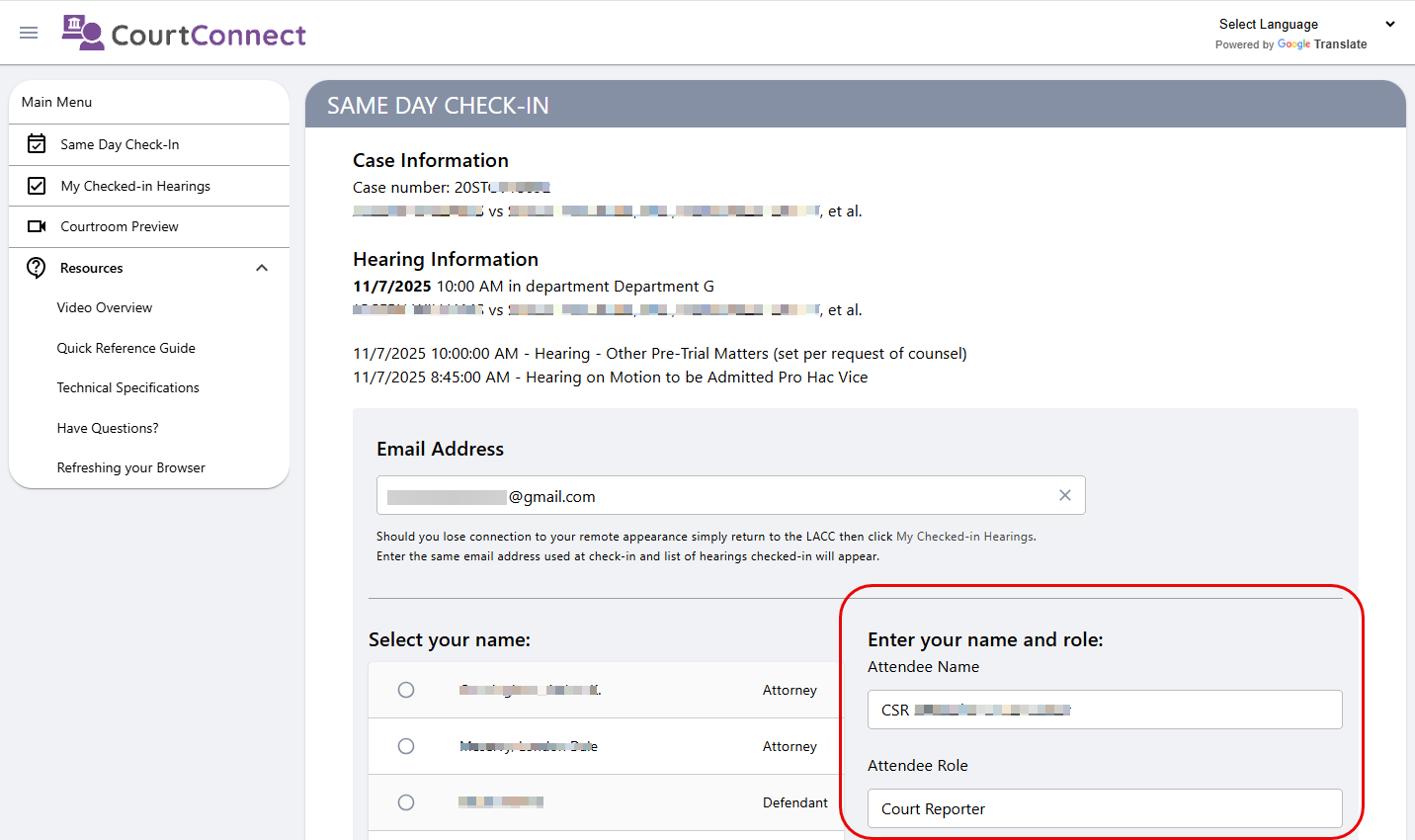
You’ll then to prompted to enter your name and role on the right-hand side of the page.
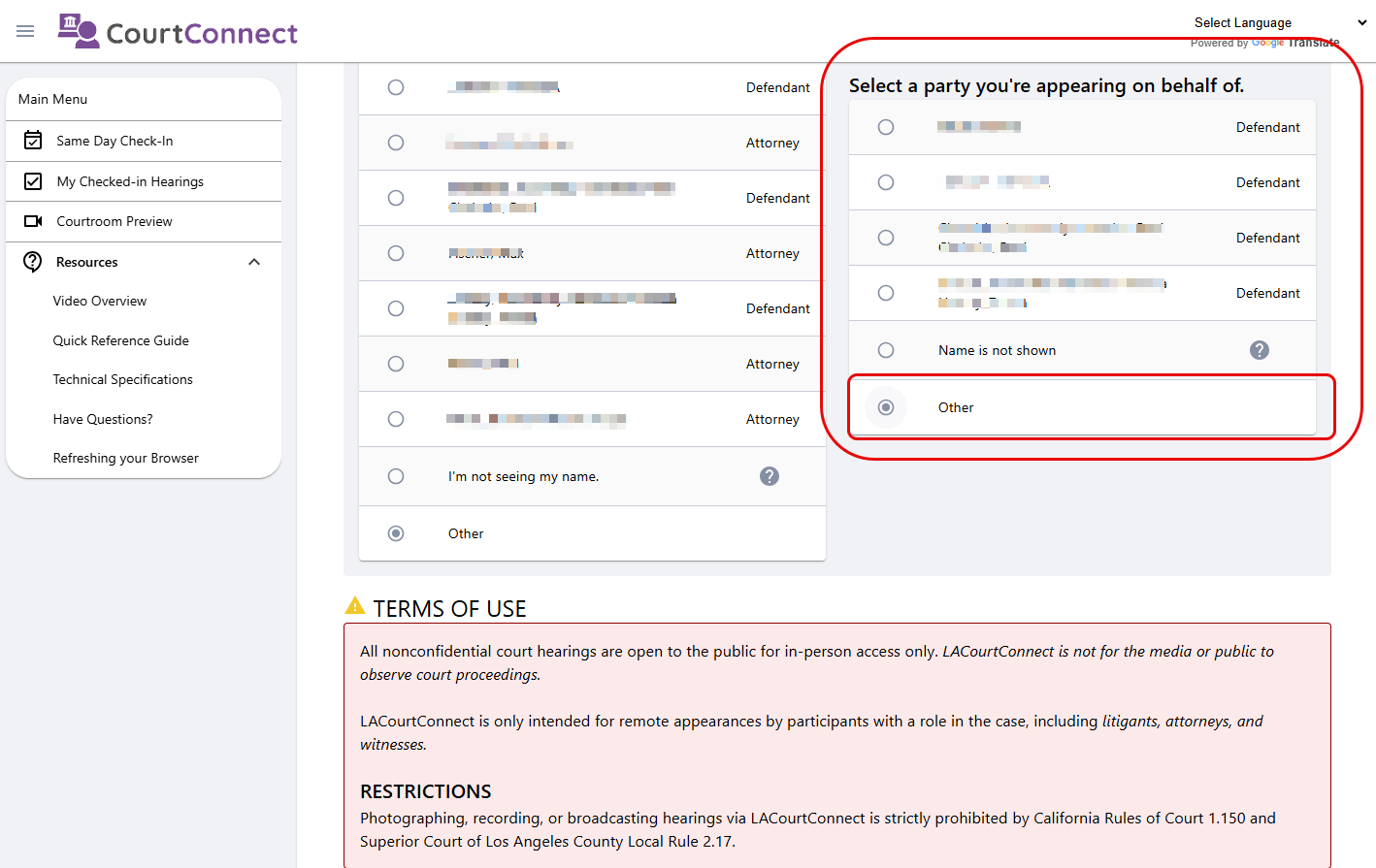
Fill out your information, then scroll down a little further down to the section called “Select a party you’re appearing on behalf of.”
If the party hiring you is not shown on the subsequent list, select “Other.”
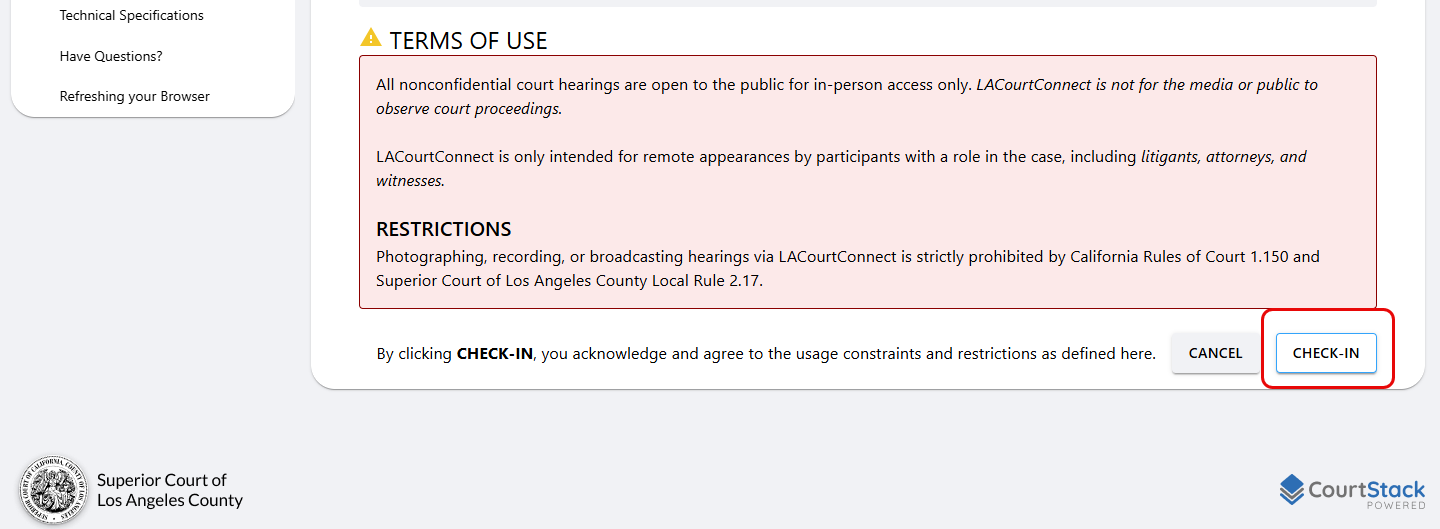
Now scroll all the way to the bottom of the screen and select “Check-In.”
You’ll be able to now click on either the “Join” button to join the hearing via two separate options, 1, via Microsoft Teams or, 2, via Phone.
If you click on the phone icon, you’ll be given a telephonc number and a meeting ID to join the meeting via audio only (no video).
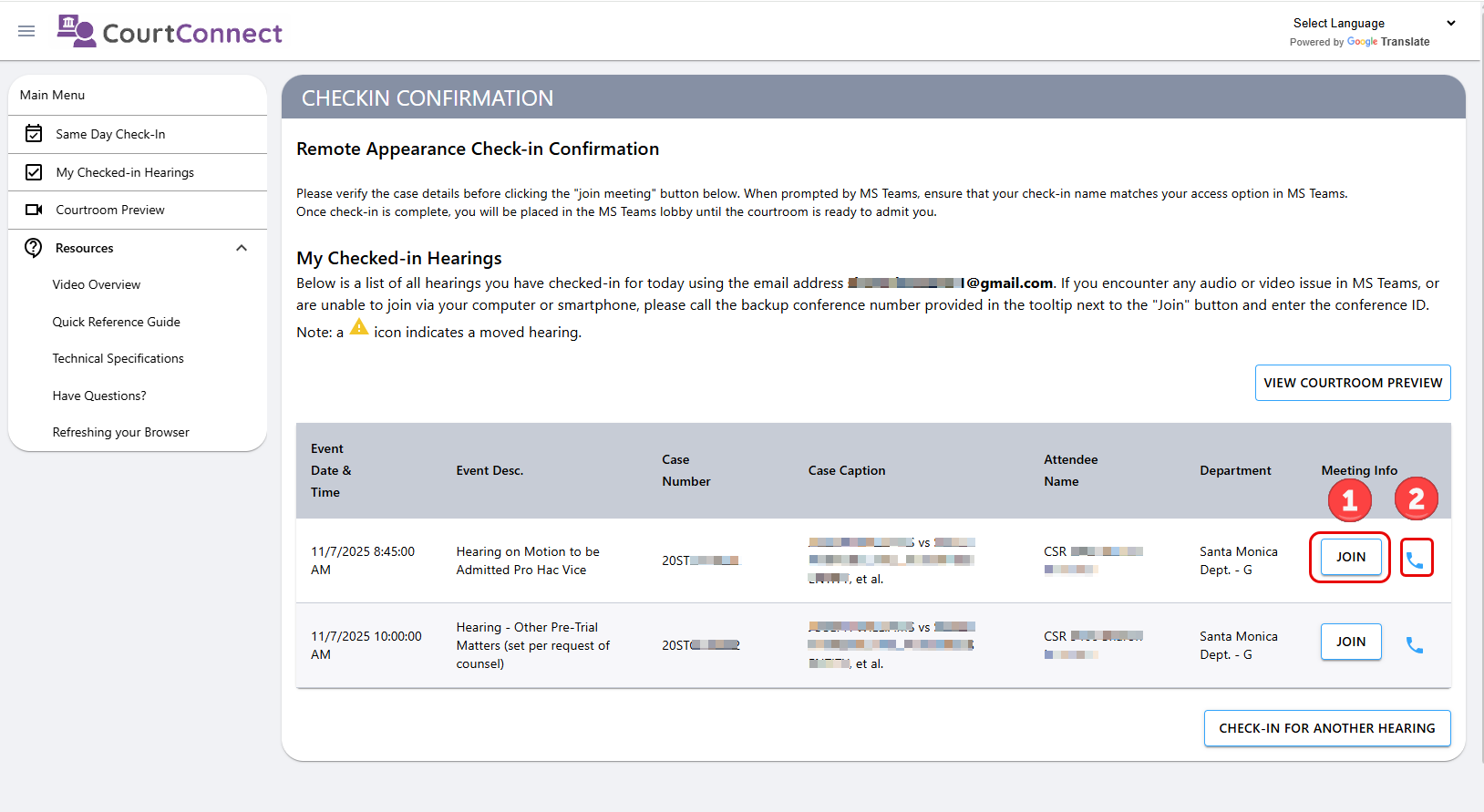
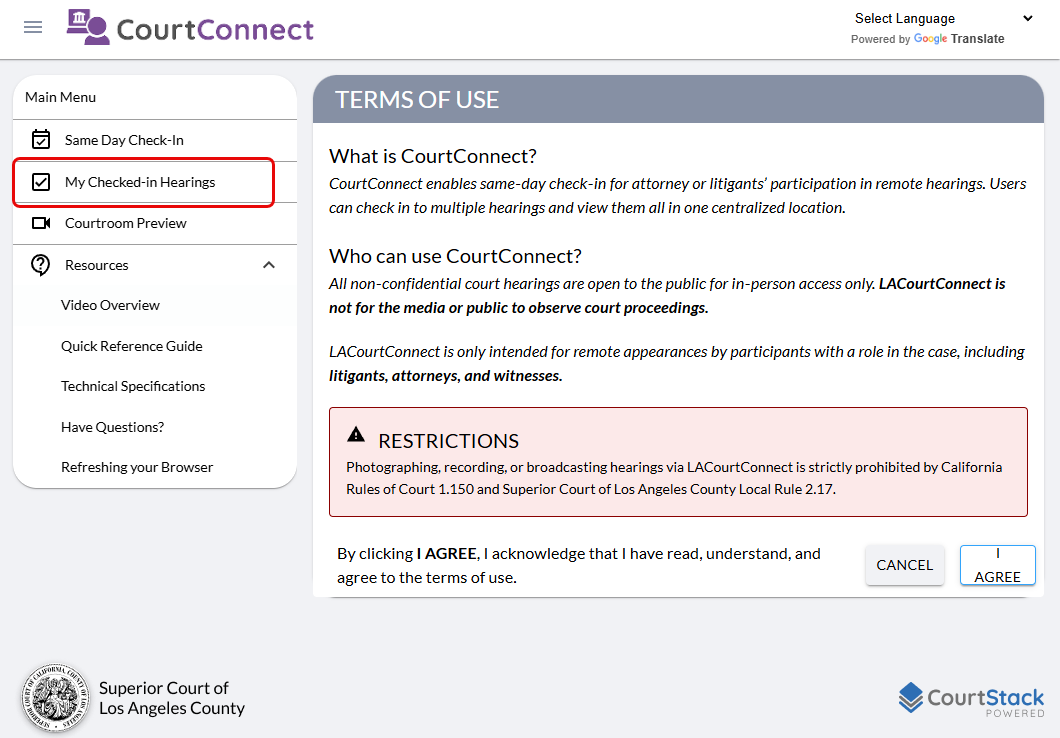
If you accidentally close out of the page, you can navigate to lacc.lacourt.org and select on “My Checked-in Hearings” on the left navigation panel.